Published by: Élodie Maurel-Lescure — Editor specializing in music technology training
Updated on 23 March 2026
Understanding the functioning of a analog-digital converter is regularly a real plus to improve the quality of your recordings and choose material in line with your creative desires. Whether you're changing your professional path or simply looking for a more authentic sound for your voice or instruments, knowing this technical component helps avoid classic traps and gives the audacity to try new experiences without a hint. The ambition of this article – give you concrete benchmarks and advice from the ground so that the universe of audio interfaces become an expression lever rather than a technical barrier, especially if you just start.
Summary of key points
- ✅ Understand the key role of analog-digital converter (ADC) for better sound quality.
- ✅ Essential technical criteria: sampling frequency, resolution, and equipment quality.
- ✅ Choose between integrated or external converter depending on the needs and context of use.
Contents
Analog to digital audio converter: what you really need to keep in mind (even at the beginning)
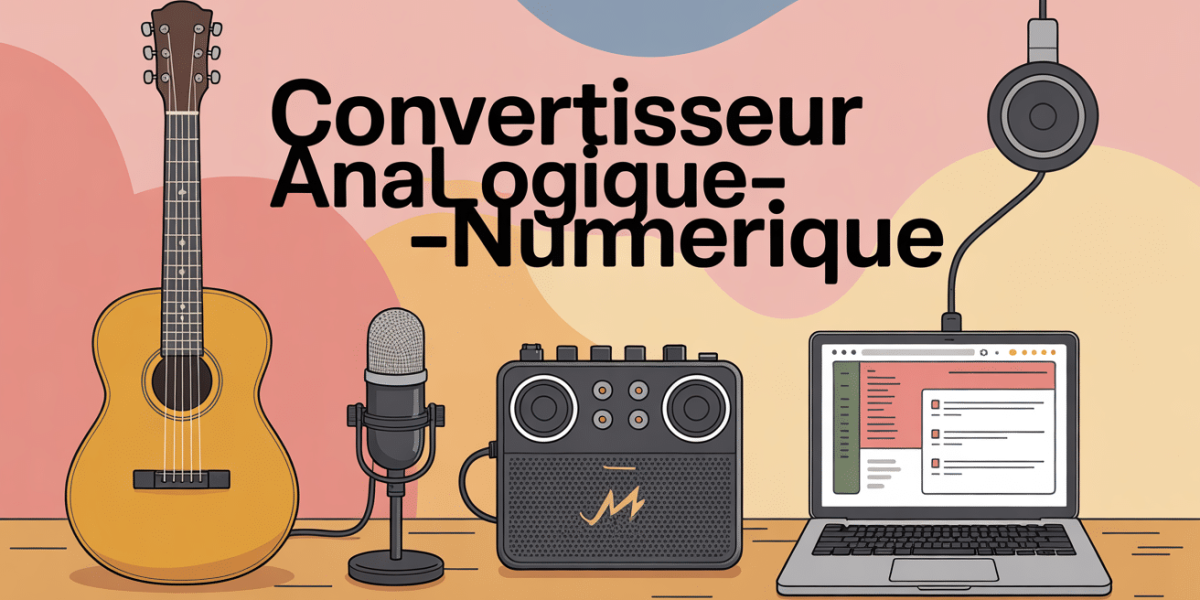
When you start recording at home, a recurring question quickly arises: what does it mean? « analog-digital converter » or ADC? It is this small tool that transforms the natural sound of your microphone or guitar into digital information that can be used by the computer. Maybe you're wondering what this is for in practice. Good news: grasping the basics of the converter is already giving yourself the chance to properly select its material, and thus avoid many typical worries (sound cuts, breath, rendered "flat" or compressed). The latest models are also accessible without ruining themselves: Marmitek's Connect AD12, proposed from 39,99 € and recognized for its ease of installation.
What is an analog-digital converter?
At the heart of an audio path, the analog-digital converter (often called ADC or "Analog to Digital Converter") captures the live, continuous signal that flows from a microphone or instrument and then transforms it into software-enabled digital data packages. This process is called digitization. Without this step, it is impossible to archive a sound, remix it, or simply listen to it from a computer. It can be seen regularly that even mainstream equipment such as smartphones and most audio interfaces have their own converter, but the quality varies frankly from one model to another.
When I recorded my first model with the microphone connected directly to a portable PC input, the result was disappointing: the sound lacked relief, the breath was omnipresent. Once passed by an external converter, the contrast was immediate and even for a little trained ear, the difference jumps to the ears.
Difference between analog-digital converter (ADC) and digital-analog converter (DAC)
Just a focus, because many are mistaken: the ADC converter adapts the analog signal for recording, while the DAC (Digital to Analog Converter) injects the digital signal into the sound world so that it can be heard with a speaker or headphone. These two facilities complement each other; if your goal is torecord, CDA remains your best ally.
It is worth keeping in mind that the audio interfaces often group these two types of converters, but each intervenes at a different stage of the channel.
How does analog-digital conversion work?

To better visualize: the converter acts as if it captured "snapshots" of the sound signal multiple times each second is the famous sampling. Then he « Quantifies » The intensity of each sample according to a defined range of values: c is the resolution in bits. In practice, the higher these two parameters (sampling frequency and resolution) are, the greater the spontaneity of the original signal.
Key benchmarks (e.g. from Connect AD12) include:
- 48 kHz at 192 kHz Most of the current models are within this range.
- 16 to 24 bits These figures are found in most public or semi-pro equipment.
- The Marmitek Connect AD12 offers up to 192 kHz/24 bits for less than 50 €This is sufficient for the majority of home studios.
Some mentor engineers consider that in podcast and for "home studio" groups, a capture at 48 kHz/24 bits is already very efficient it is even the standard of many professional productions. For ultra pointed uses (post-production video, very high definition mastering), aim 192 kHz can be understood, even if the gain is not obvious to all.
Concrete impact on sound quality
We often hear the question: "Is it really perceptible in the ear?" By comparing a consumer converter with a studio tool, the answer lies mainly in the realism of dynamics, the management of background noise, and the shine of the sharps. Switch from 16 to 24 bits provides a real bonus on signal-to-noise ratio which is particularly useful for fragile instruments or voices in nuances.
Some people describe this change as an impression of openness, a clarity that lets the mix breathe better. Moreover, it happens that the micro-details presence of the voice or atmosphere of an arrangement are only revealed through a good converter, and listening on a monitoring helmet sometimes makes the difference.
External or integrated converter: how to make the right choice according to your expectations?

Currently, many computers or audio interfaces already have an internal converter. However, betting on an external model may be wise according to your quality criteria, and in some cases it is not necessary to target the top of the range to achieve a satisfactory sound.
The advantages of the external converter
A dedicated external converter offers notable benefits –
- More robust conversion: sampling rate up to 192 kHz/24 bits on the Connect AD12, among others a point often emphasized by the informed users.
- Management of parasites and electrical insulation generally more reliable.
- Multi-purpose connector : RCA, S/PDIF, Toslink... something to connect both vintage and modern equipment.
- Often essential to connect a material "of the past" or clearly pro to recent digital equipment.
Sometimes a musician finds that his tracks lack relief, despite investing in a good microphone; Sometimes strange noises occur as soon as several devices are connected together. Place on an external converter within a range of 40-80 € solved many difficult cases, according to the testimonies gathered during training of sound technicians.
Why stay (or improve) on the integrated converter?
In some contexts to quickly record a model, stream a concert, capture memories the integrated converter of audio interfaces does the job, provided that it respects its physical limits and does not accumulate too many simultaneous sources.
A question to ask yourself: if the differences remain subtle (even listening in A/B), or if your needs are purely amateur, there is no need to modify your installation immediately. On the other hand, as soon as a project becomes a little more ambitious (mini-album, pro-sound dressing, image mix), the purchase of a specialized converter deserves reflection. As one trainer recently pointed out, it is best to test both scenarios before a run.
Good to know
I recommend you test the integrated and external converters before buying: this is often the best way to know what suits your project and budget.
Compatibility, connectivity and convenient installation
Compatibility plays a central role in home studio: it is better not to buy a converter that is incompatible with its hardware or speakers! Good news, recent models including the Connect AD12 (dimensions: 23 x 51 x 80 mm for 45 g Only) display a universal connection: RCA, optical Toslink, coaxial S/PDIF...
Install your converter: nothing simpler
Be assured, installation is largely affordable: plug the analog input (often an RCA or mini-jack cable from a mixing table or CD player), then connect the appropriate digital output (optical or coaxial) to your audio interface, sound bar or receiver system.
Expert tip: some models offer the possibility to manage two outputs (optical and coaxial) simultaneously, which helps power several configurations at the same time (example containing a sound and a recorder). For any technical questions or firmware updates, consider downloading the manufacturer's PDF manual or asking the hotline for a reflex shared by many knowledgeable musicians.
Live parenthesis: During an evening, I helped a friend connect an old vinyl platinum to a recent sono. Thanks to the good optical cable (around 7,49 € for a high-performance Oehlbach model), the configuration took no more than five minutes and the signal quality was on track.
Concrete applications in home studio and professional studio
When does the choice of an audio converter really weigh? The question goes back to the specialized workshops on a regular basis, and the answer depends to a large extent on the way in which sound is recorded and processed. It is also noted that some producers pay special attention to this detail; The impact is sometimes measured at the final mix stage.
For optimal listening and quality recordings, discover understand all about digital audio converter in analog.
For an optimal voice rendering during your recordings, discover our guide on the micro for studio singing: expert comparison and custom selection.
To optimize your recordings, a Three-channel audio management card with filters: complete guide to choose without error can be an essential complement to your converter.
Some typical uses
In home studio, the analog-digital converter comes into play when recording a voice, guitar, or any acoustic instrument with microphone. For podcast, it guarantees a grip without breath and distortion key element for intelligibility and listening comfort.
In professional studio, the issue grows with the number of simultaneous channels, or synchronization between various devices (band, multiple interface, patchbays...). "Premium" models (such as the ADI-2-DAC-FS RME 972 € or Blustream Pro at 80 €) are distinguished by their clock accuracy and advanced calibration functions, which seduces experienced audio technicians.
A tip often mentioned in focus groups: before deciding on a choice, take a look at customer opinions, e.g. the score of 4,7/5 on 356 returns for the Connect AD12, helps to locate. Well-rated models are generally available quickly, with the assurance of efficient technical support.
Essential FAQ on analog-digital audio converters
Any questions persist? Below are the main questions asked by users (accompanied by a few lights to cut short false ideas):
What difference between ADC and DAC?
The ADC (Analog to Digital Converter) is used to transmit analog sound to a digital signal, especially useful in the recording phase. Conversely, the DAC (Digital to Analog Converter) restores the digital stream in sound form; This allows listening via speaker or helmet. Cannot pass through a complete digital audio channel.
Is an external converter essential?
If you spot breath, too weak dynamic or distortion on your recordings despite a reliable microphone an external converter can make the difference. However, for relaxation or model use, the integrated converter often holds the road without major complications.
How to choose your sample rate and resolution?
For music and podcast, 48 kHz/24 bits overall form the winning duo. For mastering tasks or demanding audiovisual work, you can climb up to 96 to 192 kHz; It is important to keep in mind that files are growing proportionally. Last point to remember: it is better to take a well-performed catch 48 kHz that "high-end" specifications are poorly exploited.
Does an A/N converter really affect sound quality?
Yes, as long as it is more efficient than the internal circuit of your interface and solves problems of connectivity, noise or dynamics. However, it must be tempered: it will not change a correct microphone into a professional microphone, the quality of the basic equipment remains a crucial point. It is often recommended to analyze the entire global chain before focusing on the converter alone.
What technical points are essential to compare?
To be monitored carefully: maximum sampling rate, resolution (16 or 24 bits), the nature of the connections (optical, coaxial, RCA), congestion and weight (e.g.: 45 g for the Connect AD12), technical support responsiveness and user reviews. Also keep an eye on the quality of assistance (chat or hotline), as it becomes valuable in case of installation problems.
Accessible, comparative and complementary resources
Before taking the step, take advantage of the resources available in most specialist shops: whether they are PDF guides to download, comparative tables, online FAQs or a technical telephone service, these tools often make a difference. Some professionals argue that the ease of accompanying the manufacturer of the connection to the expert adjustment depends on their confidence when buying.
| Model | Indicative price | Key technical data |
|---|---|---|
| Marmitek Connect AD12 | 39.99 € TTC | 48–192 kHz, 24 bits, 45 g, 23×51×80 mm |
| Blustream Pro | 41,59–79,80 € HT | Coaxial/optical, high strength |
| RME ADI-2-DAC-FS | 972.07 € HT | 24 bits, up to 768 kHz, advanced features |
To conclude, take the time to read the experience FAQs and testimonials before finally stopping your choice. As the audio trainers say regularly: choosing the right converter is to bet on the tranquility and regularity of each socket.
Updated on 23 March 2026